 JengaPulse
iOS · Android coming soon
Four habits, one daily pulse.
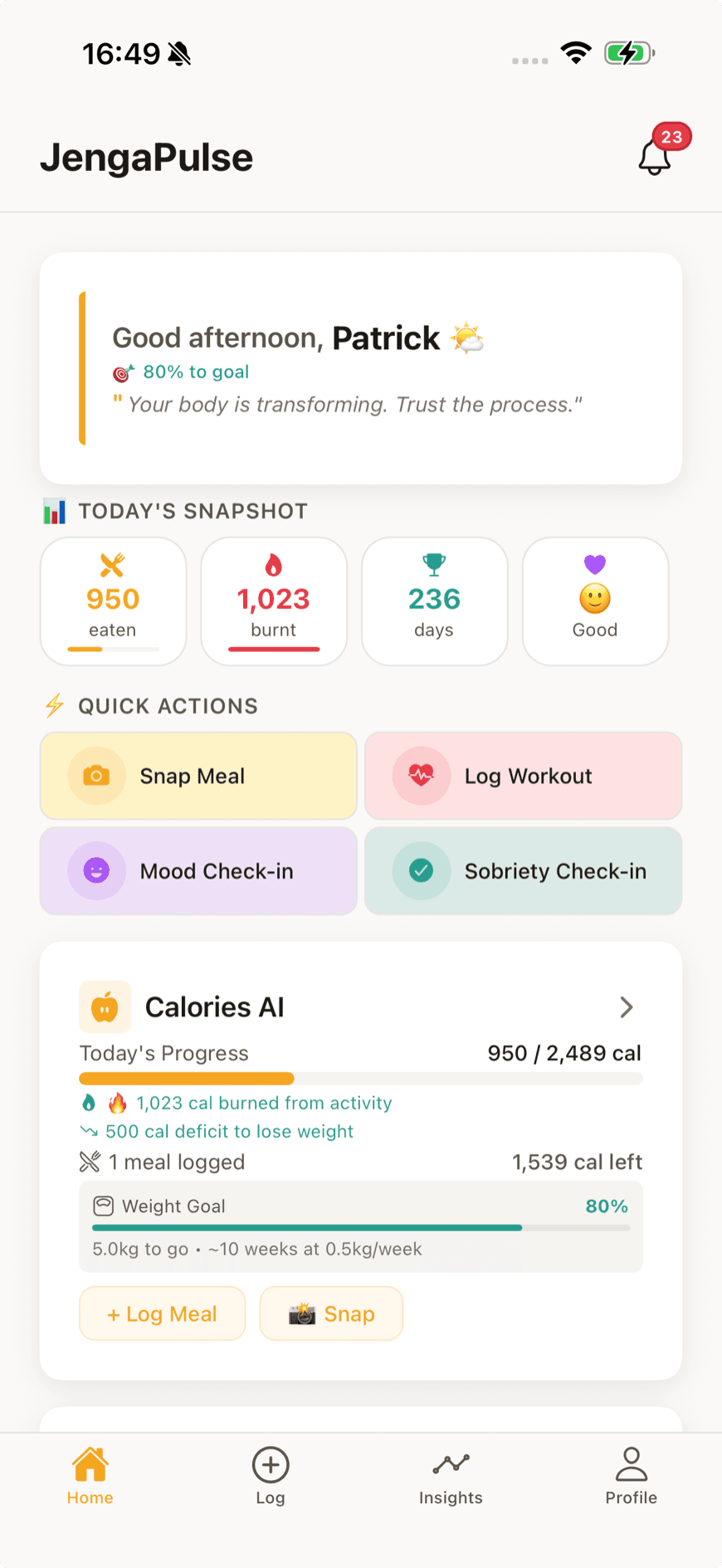
Most health apps track one thing well and ignore the rest. JengaPulse holds what you eat, how you move, how you feel, and how long you've stayed the course — in a single day's view, so progress in one shows up against the others.
Free to start · Meal and barcode logging are unlimited on every plan
What it tracks
Four hubs that share one day.
Turn on only what you need. Each hub works on its own, and everything you log lands in the same daily view.
Nutrition
Photograph a plate and get it logged. Or scan a barcode, or type it.
- AI photo scanning
- Unlimited barcode & manual logging
- Calorie and macro targets
- Meal plans, recipes, grocery lists
Fitness
Log a session, follow a generated plan, or let your watch do the counting.
- Workout logging & exercise library
- Step tracking
- AI workout generator
- Apple Health & Health Connect
Mental wellness
A daily check-in that takes seconds, and somewhere to put the rest.
- Mood check-ins & trends
- Journaling
- AI chat when you need to talk
- Breathing exercises
Sobriety
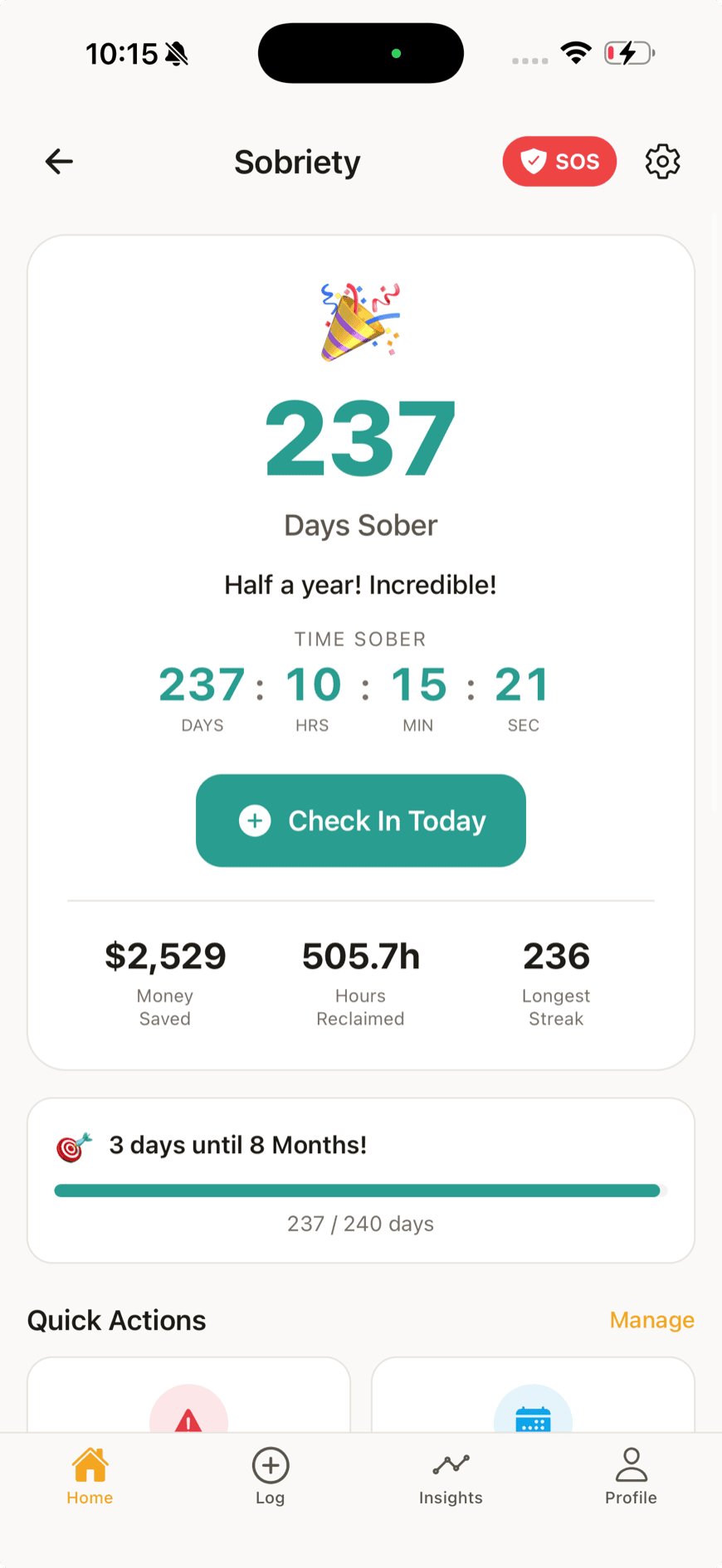
Count the days, notice what sets you off, and keep help one tap away.
- Day counters per substance
- Trigger tracking & insights
- Emergency contacts
- Crisis & SOS resources
How it works
Set up once. Then it's a few taps a day.
The whole loop, start to finish.
Step 01
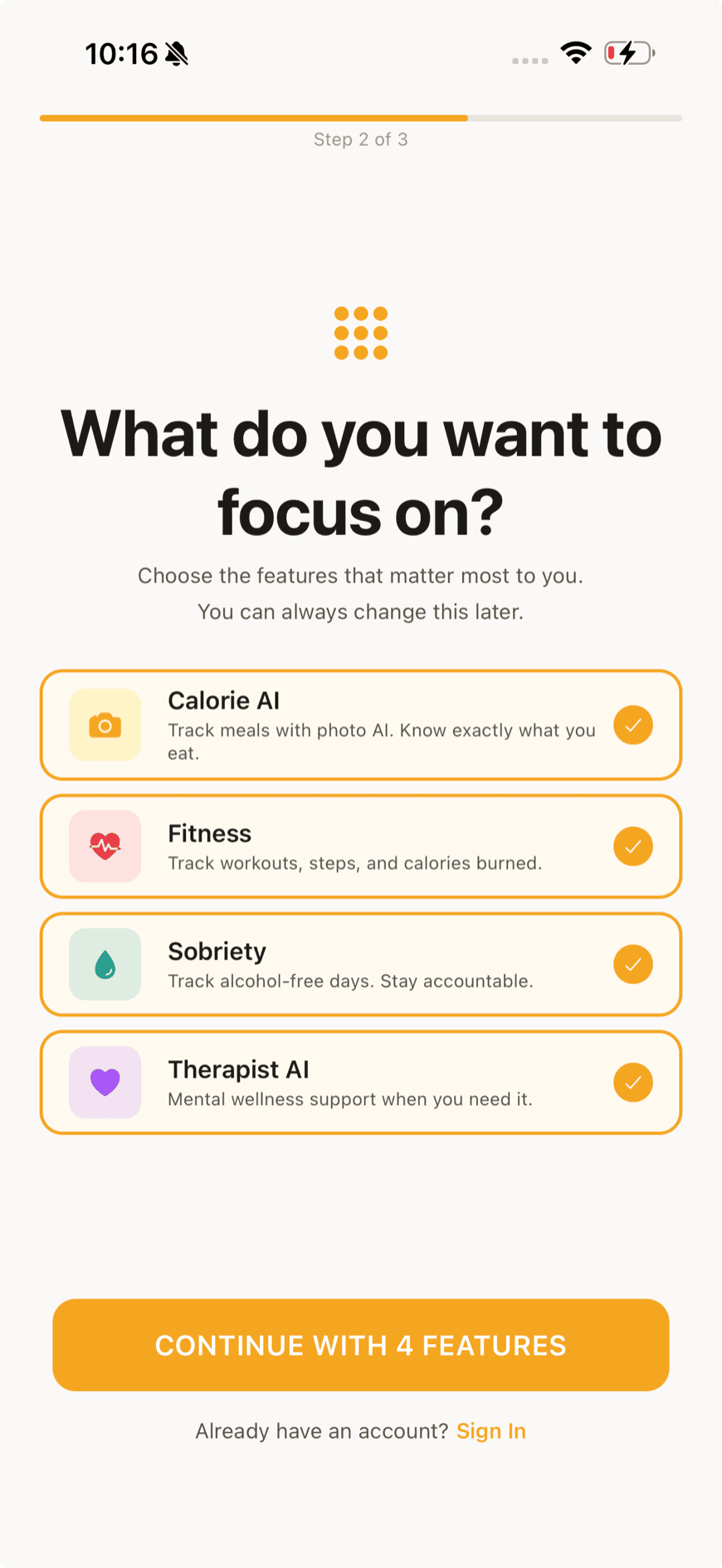
Choose what you're here for.
Pick any of the four hubs during setup. Leave the rest off — the app only shows what you turned on, and you can change it later without losing anything.
Step 02
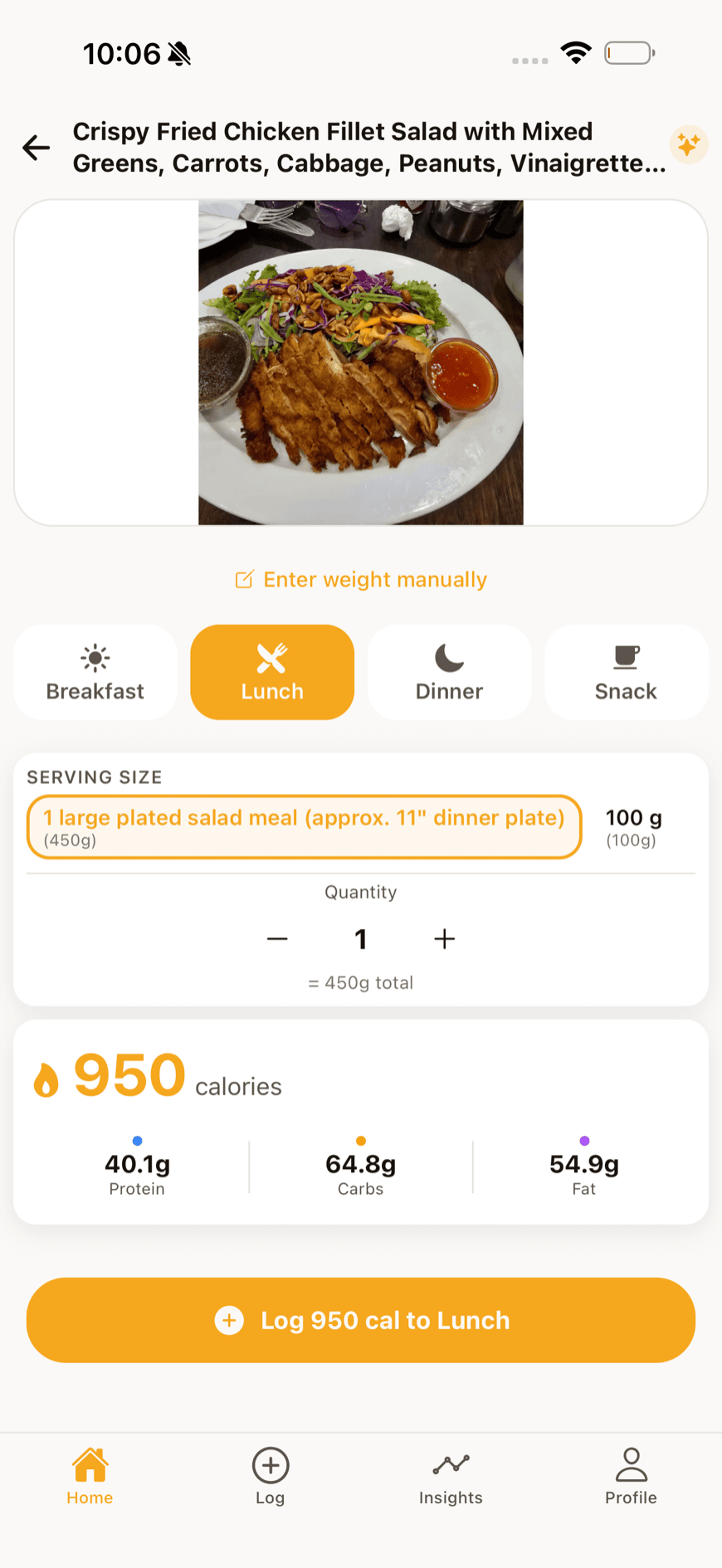
Point the camera at your lunch.
The AI scan reads the plate and fills in calories and macros. Barcodes and manual entry are there for everything else — and both are unlimited, on every plan.
Step 03
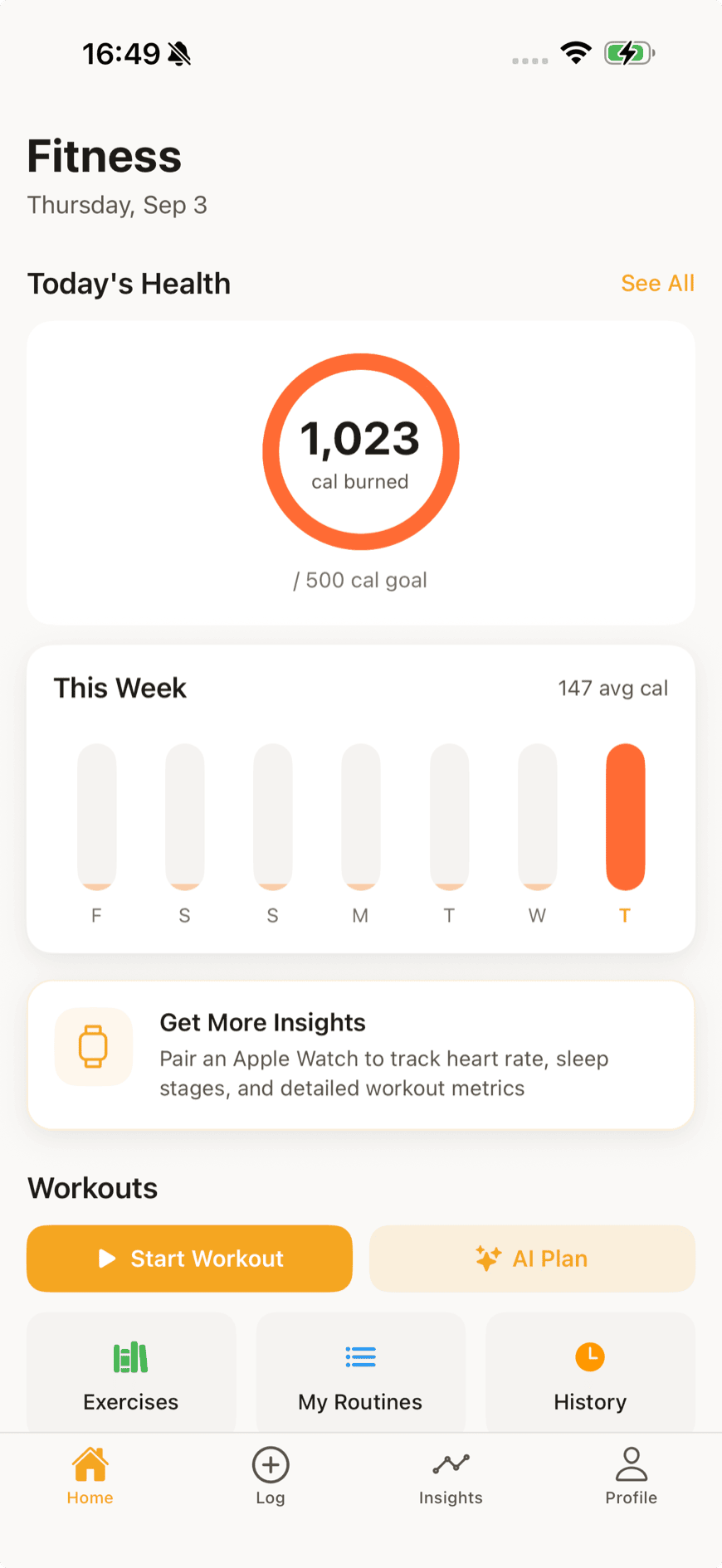
Log the session, or let your watch do it.
Enter a workout by hand, follow a generated plan, or connect Apple Health and let steps and sessions arrive on their own. The exercise library is there when you want to build something yourself.
Step 04
Check in on how you're doing.
A mood, a sobriety day — each is one tap from the home screen. Nothing asks you for a paragraph when a tap will do.
Step 05
Watch the four lines move together.
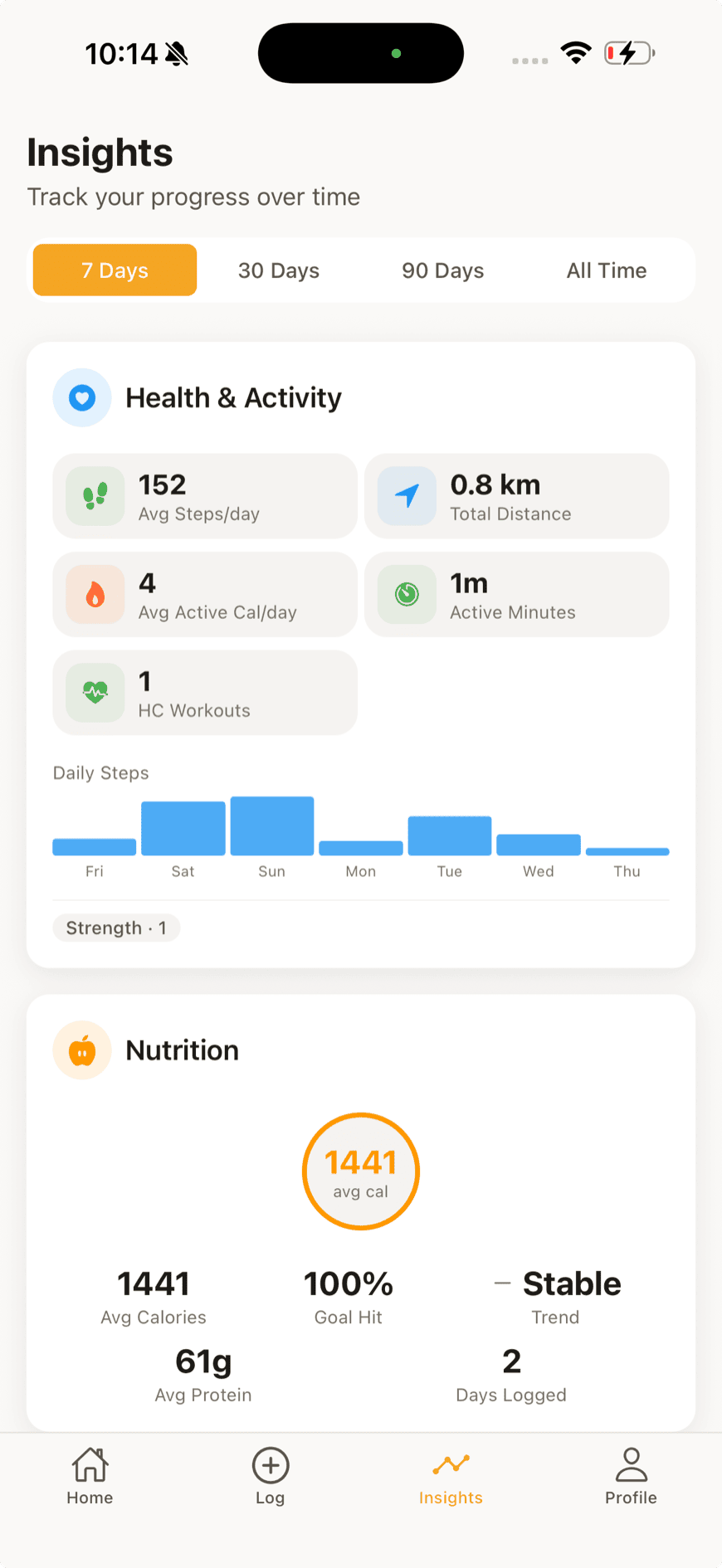
Insights put the hubs side by side over time — which is where the useful patterns live. Weeks you trained more, weeks your mood held, what happened to both when sleep slipped.
Plans
Free does the daily work.
Meal logging and barcode scanning are unlimited on every plan, including Free. Paying buys more AI and deeper history — not the basics.
Free
$0
Start your health journey
- Unlimited meal & barcode logging
- AI photo scanning, 3 a day
- Step tracking & workout logging
- Daily mood check-in
- Sobriety counter & crisis resources
Plus
Most popular$9.99 / month
More AI power & full history
- Everything in Free
- AI photo scanning, 10 a day
- AI workout generator
- Full weight history & analytics
- Health app integrations
- Journaling & mood analytics
Premium
$17.99 / month
Unlimited everything & AI content
- Everything in Plus
- Unlimited AI photo scanning
- Personalised meal plans & recipes
- Multi-week AI workout programmes
- Unlimited AI chat & journaling
- Data export
Yearly billing is available in the app. Prices shown in USD; your store shows your local price.
On the way
Android is next.
The Android build is in testing now, with the same four hubs and the same account. If you want a note the day it lands, say so — one email, nothing else.